
Home > tyGraph Support Articles > Less than N Obfuscation
この記事をダウンロードLess-than-N Obfuscation
At tyGraph, we aim to balance privacy with meaningful insight. If too much user-level detail is hidden, reports become less useful. If too much is exposed, report viewers may be able to infer an individual's identity through elimination.
The tyGraph Approach
To reduce that risk, we apply a limit to non-obfuscated values. If a value appears for fewer than 10 unique users, that value is hidden.
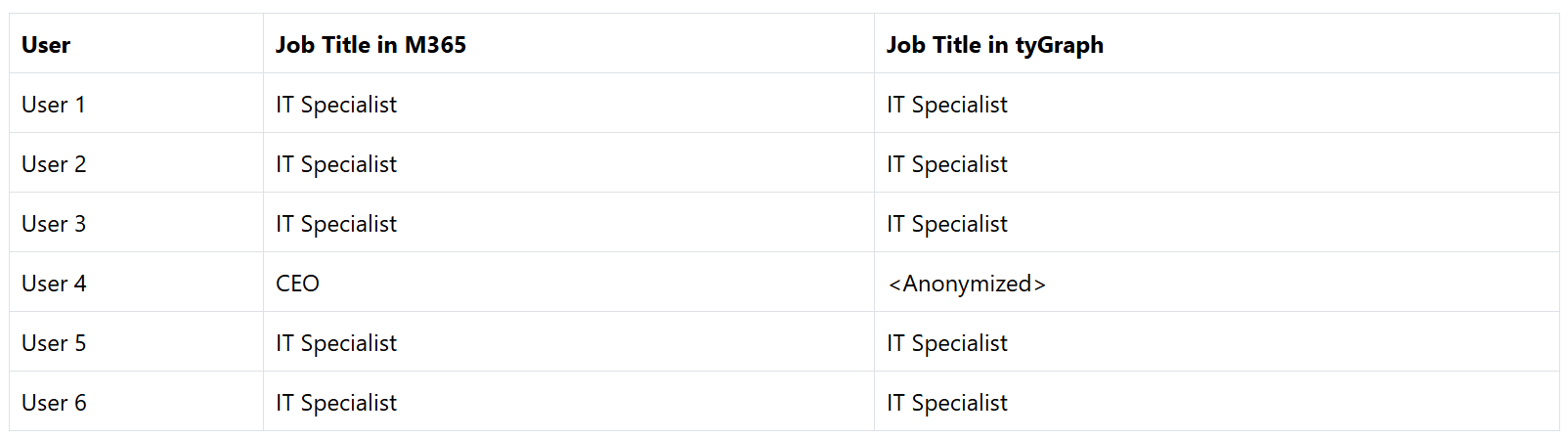
For example, the job title CEO may belong to only one person in the organization. Displaying that value would make the individual easy to identify. By contrast, a title such as IT Specialist may apply to hundreds of users, making it sufficiently broad to display without exposing personal identity.
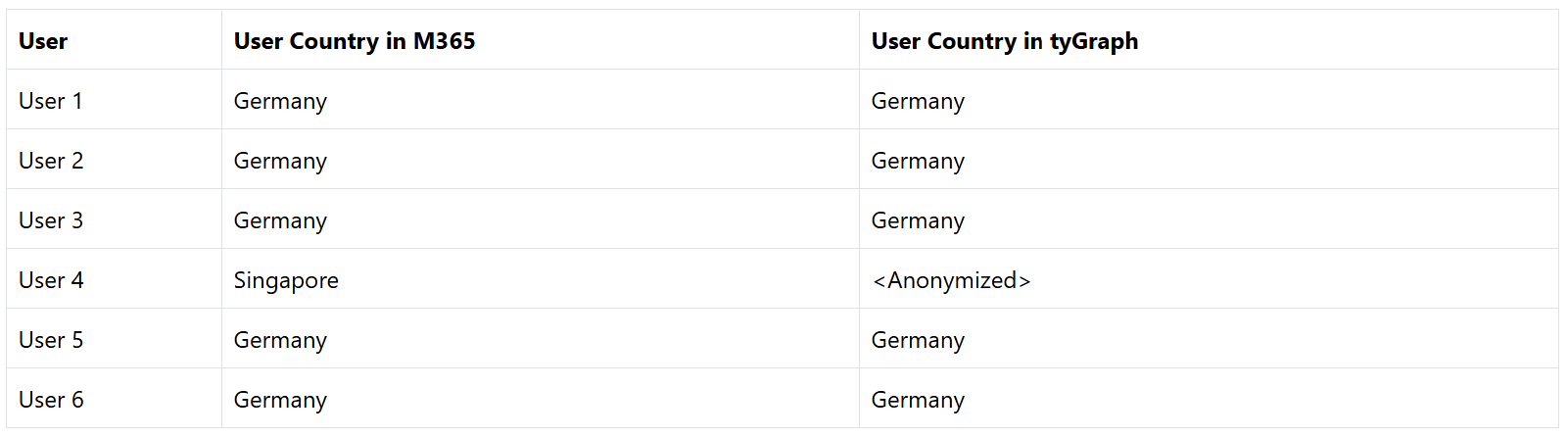
As another example, if 4,000 users are located in Germany, it is generally safe to display Country because the value is not highly specific. However, if the organization has a small office in Singapore with only 15 employees, Singapore may be shown as <Anonymized> for those users.
Configuration
By default, this behavior applies to obfuscated reports when a value appears for fewer than 10 unique users. This threshold can be changed by submitting a support request. For example, you can increase the threshold to 25 active users or disable the feature by setting the threshold to zero.
Exempt Columns
[CreatedDate] [DeletedDate] [DisabledDate] [Domain] [Email] [EnabledStatus] [FullName] [HR - Address] [HR - Latitude] [HR - Longitude] [HR - ZipPostalCode] [IsAADUser] [IsActive] [IsDeleted] [IsDisabled] [IsExternal] [ManagerEmail] [ManagerName] [ManagerUID] [UserType]