Home > tyGraph Support Articles > Visuals from AppSource not available due to admin settings
この記事をダウンロードVisuals from AppSource Not Available Due to Admin Settings
Error: Visuals from AppSource or added from a file are not available due to your admin settings, unless the visual was added from the My organization page.
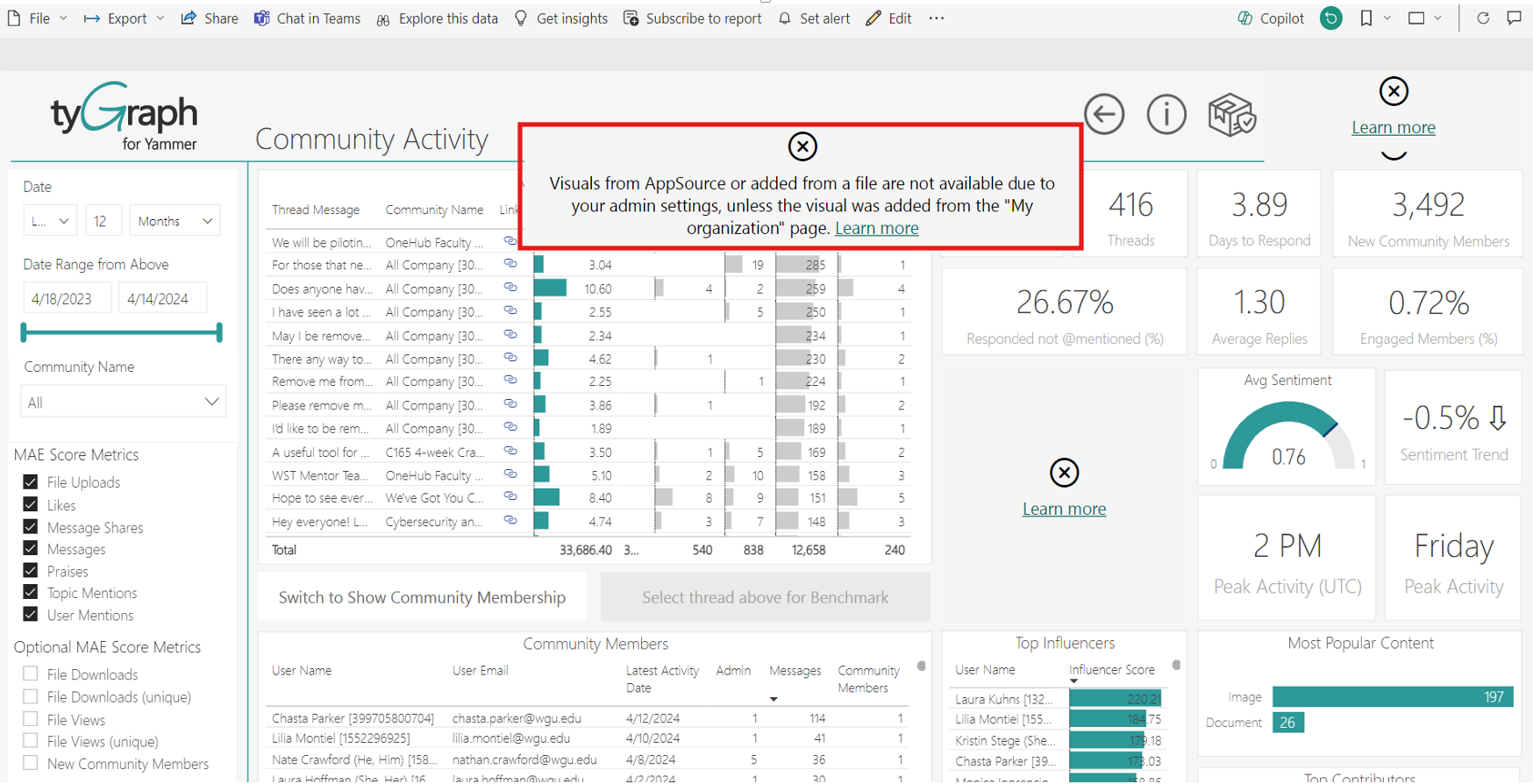
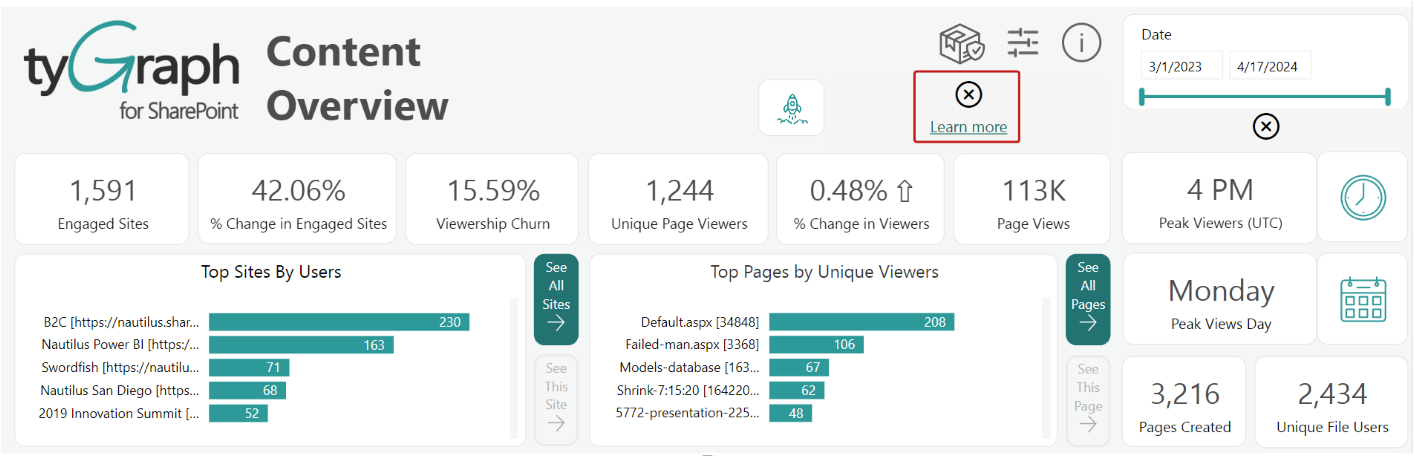
The full error message is not always displayed. In some cases, you may only see the visual error icon and a Learn more button that links to Main sources for acquiring Power BI custom visuals - Power BI | Microsoft Learn.
Root Cause
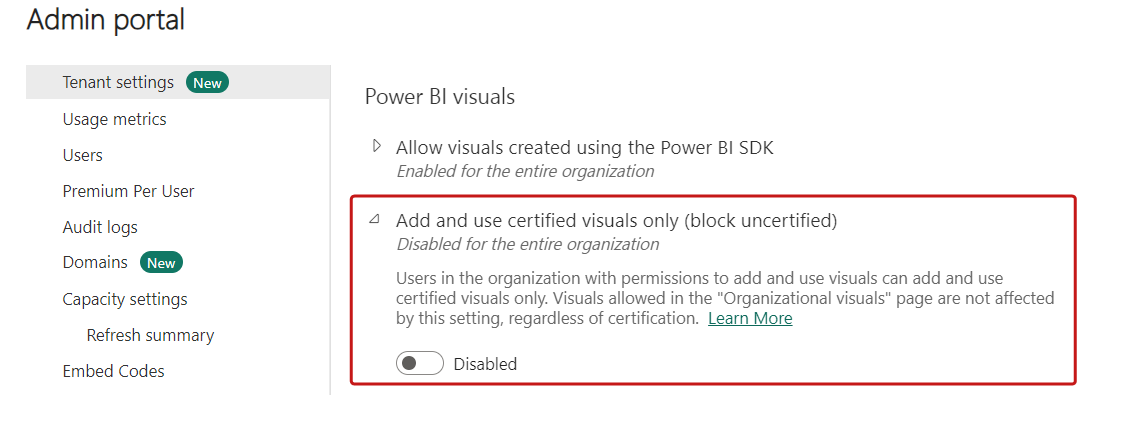
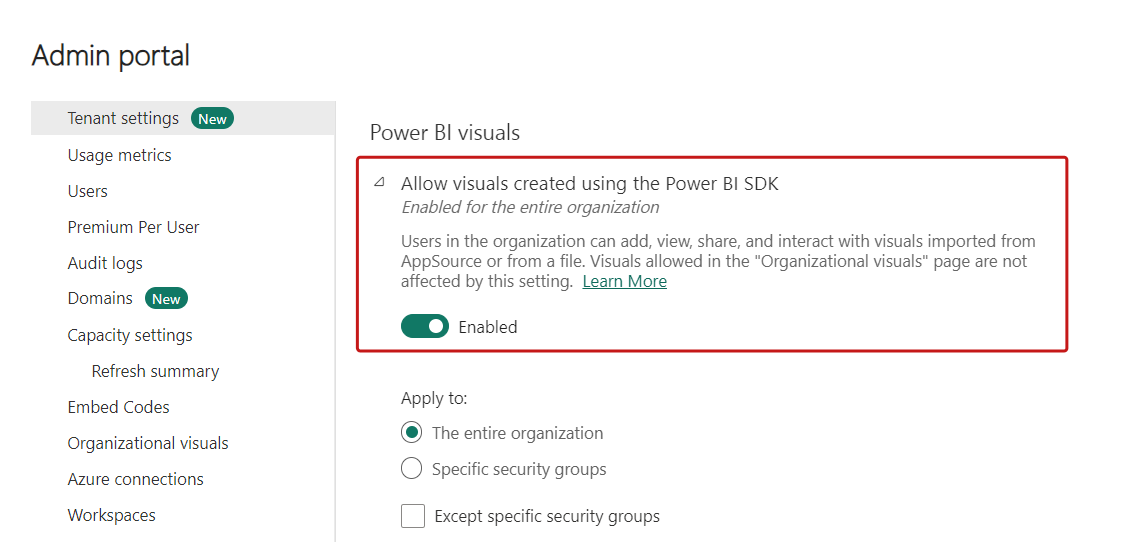
This issue occurs when Power BI tenant settings disable visuals created with the Power BI SDK. When that setting is disabled, users cannot add, view, share, or interact with visuals imported from AppSource or from a local file.
Resolution
In the Power BI admin portal, go to Tenant settings > Power BI visuals and enable Allow visuals created using the Power BI SDK.
Some imported visuals are not certified by Power BI, so the Add and use certified visuals only (block uncertified) setting must also be disabled if you want those visuals to display for the organization.