
Home > Data Management > Remove Unprotected Data > Offboarded Users
Download this articleOffboarded Users
Offboarded users refer to users who have departed the organization, and their corresponding objects no longer exist in Microsoft 365.
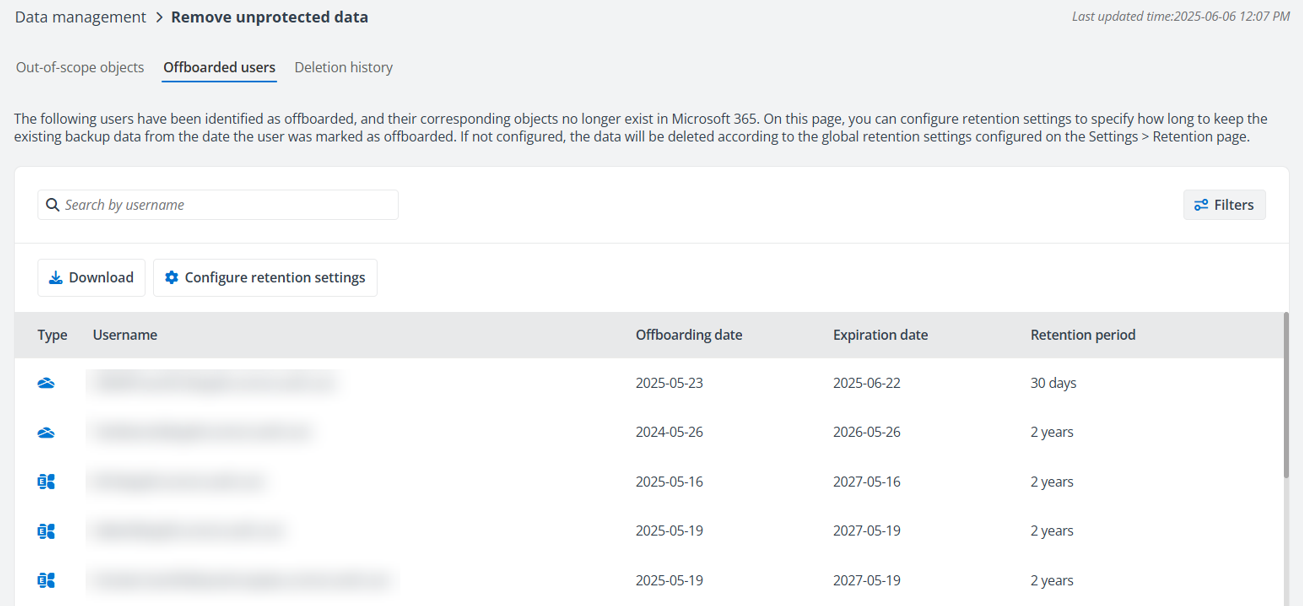
AvePoint Cloud Backup checks weekly whether users still exist in Microsoft 365 and updates the Offboarded users tab accordingly. The last updated time is displayed in the upper right corner of the page.
Since the check is performed weekly, the Offboarding date reflects when AvePoint Cloud Backup detected that the user and object were no longer in Microsoft 365. This date may be later than the actual deletion date.
With the Settings permission, you can click Configure retention settings on the tab to specify how long to keep the existing Exchange Online and OneDrive backup data from the date the user was marked as offboarded. Cloud Backup will delete the corresponding backup data on the Expiration date. Note that the configured retention period here will apply to all users within the specified scope. To edit the retention period for a certain object, hover over an object and click the Edit icon. The deletion records for Microsoft 365 objects of offboarded users are displayed in the Deletion History tab after their backup data is removed.
To prevent certain backup data from deletion, you can adjust the retention period or disable the deletion function for offboarded users. If the retention settings for offboarded users are not enabled, the data will be deleted according to the global retention settings configured on the Settings > Retention page. Also, if a shorter retention period is configured in the global retention settings (Settings > Retention), that will take precedence.
Note that the feature does not apply to the Trial subscription or the subscriptions with multi-Geo enabled, which indicates, your backup data for offboarded users already taken will be deleted according to the global retention settings.