
Home > tyGraph Support Articles > Duplicate Report Bars Shown with tyGraph Pages
Download this articleDuplicate Report Bars Shown with tyGraph Pages
Issue
With tyGraph Pages, you may see duplicate Report Bars after the feature is activated.

Resolution
This issue can occur for the following reasons:
-
Multiple packages installed: The
tyGraph Pages Web Parts.sppkgpackage has been added to both a Tenant App Catalog and a Site Collection App Catalog. Remove the package from the Site Collection App Catalog to resolve the issue. In general, we recommend avoiding Site Collection App Catalogs for this package. -
Mixed preview and GA package versions installed: This can also happen if Preview Ring packages were installed without removing the generally available version. Remove one of the packages from the App Catalog.
-
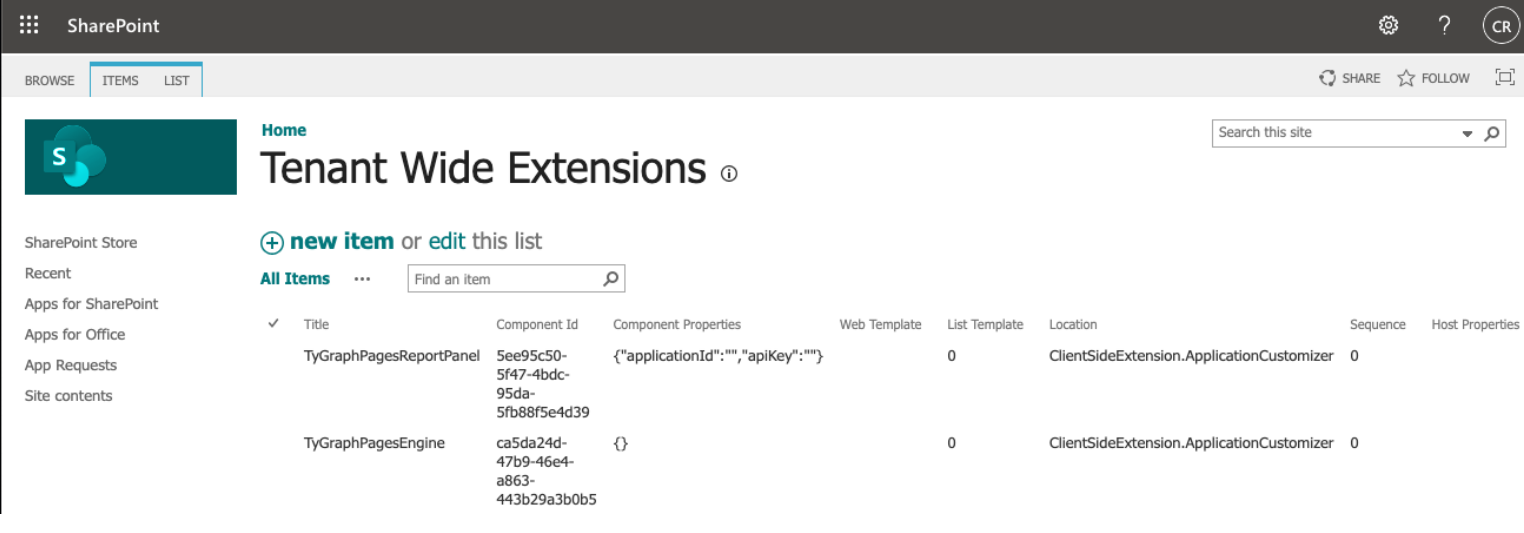
Multiple Tenant Wide Extensions entries: If you customized authentication values in Tenant Wide Extensions and then uploaded an updated
tyGraph Pages Web Parts.sppkgfile, you may have created a duplicate entry. Open the Tenant Wide Extensions list in the App Catalog and verify that only one entry exists. Delete any duplicate entry that does not contain values in the Web Components column.
Additional Considerations
After you reduce the display to a single Report Bar, you may see an Authentication not configured message. If that occurs, follow the guidance below.
When first installing the tyGraph Pages Web Parts and Report Bar, you may see the message "Authentication not configured". In that state, all buttons on the Report Bar will appear disabled.

If this message appears, authentication has likely been configured for the Web Part but not for the Report Bar. Configure authentication for the Report Bar by following Update tyGraph Pages Web Parts.