Home > Report Center for AvePoint Cloud Backup > Use the Job Analytics Report
Export to PDFUse the Job Analytics Report
The Job analytics report contains three tabs: Backup analytics, Extended backup overview and Restore analytics. The Backup analytics tab provides overview charts for all backup jobs performed in Last 7 days or Last 30 days. The Extended backup overview tab can help you understand the job progress details of the SharePoint Online and Exchange Online backups that are currently running slowly. The Restore analytics tab provides overview charts for all restore jobs performed in the last 7, 30, 90, or 180 days.
Note that the Job analytics > Extended backup overview now only supports SharePoint Online and Exchange Online backups.
View the Charts for Backup Jobs
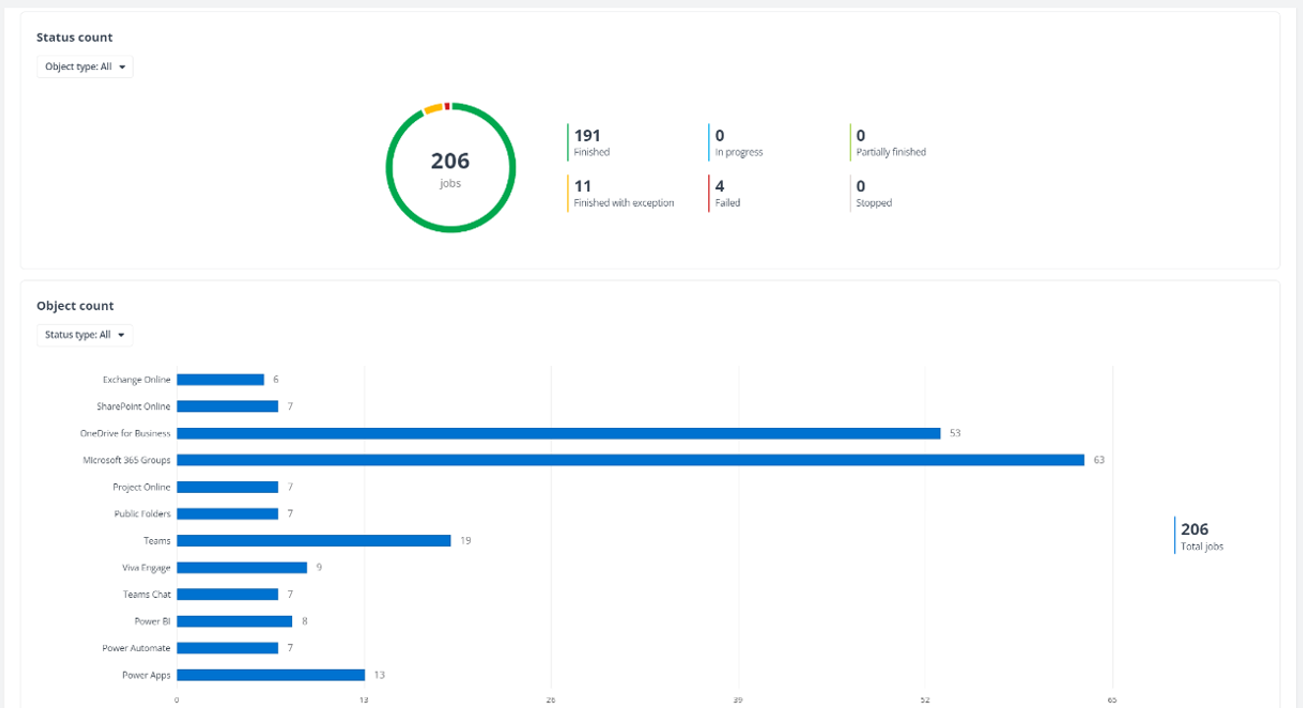
The Backup analytics tab in the Job analytics report displays all backup jobs performed over the last 7 days or 30 days in the following charts: Status count chart and the Object count chart.
You can click the Time filter to switch the report data for the Last 7 Days or Last 30 days and use the Object type filter and Status type filter to display the jobs that you want to show in the chart.
Overview for Long-Running SharePoint Online/Exchange Online Backups
The Extended backup overview tab in the Job Analytics report is provided to help you be aware of the backup progress for long-running SharePoint Online and Exchange Online backup jobs. The Extended backup overview feature currently does not support viewing details for the long-running jobs of other backup services, although the Project Online service has applied the Split-Off and Pause feature for the long-running backups.
The long-running backup jobs of SharePoint Online and Exchange Online that have run for at least 24 hours will be displayed in the Job Analytics Report with the job progress details, such as the progress bar, sub-processes, the start time for backing up main content (such as the site collections, lists and libraries, mailboxes, and folders), and the in-progress items.
The incremental backups running for 47 hours will be split off.
View the Charts for Restore Jobs
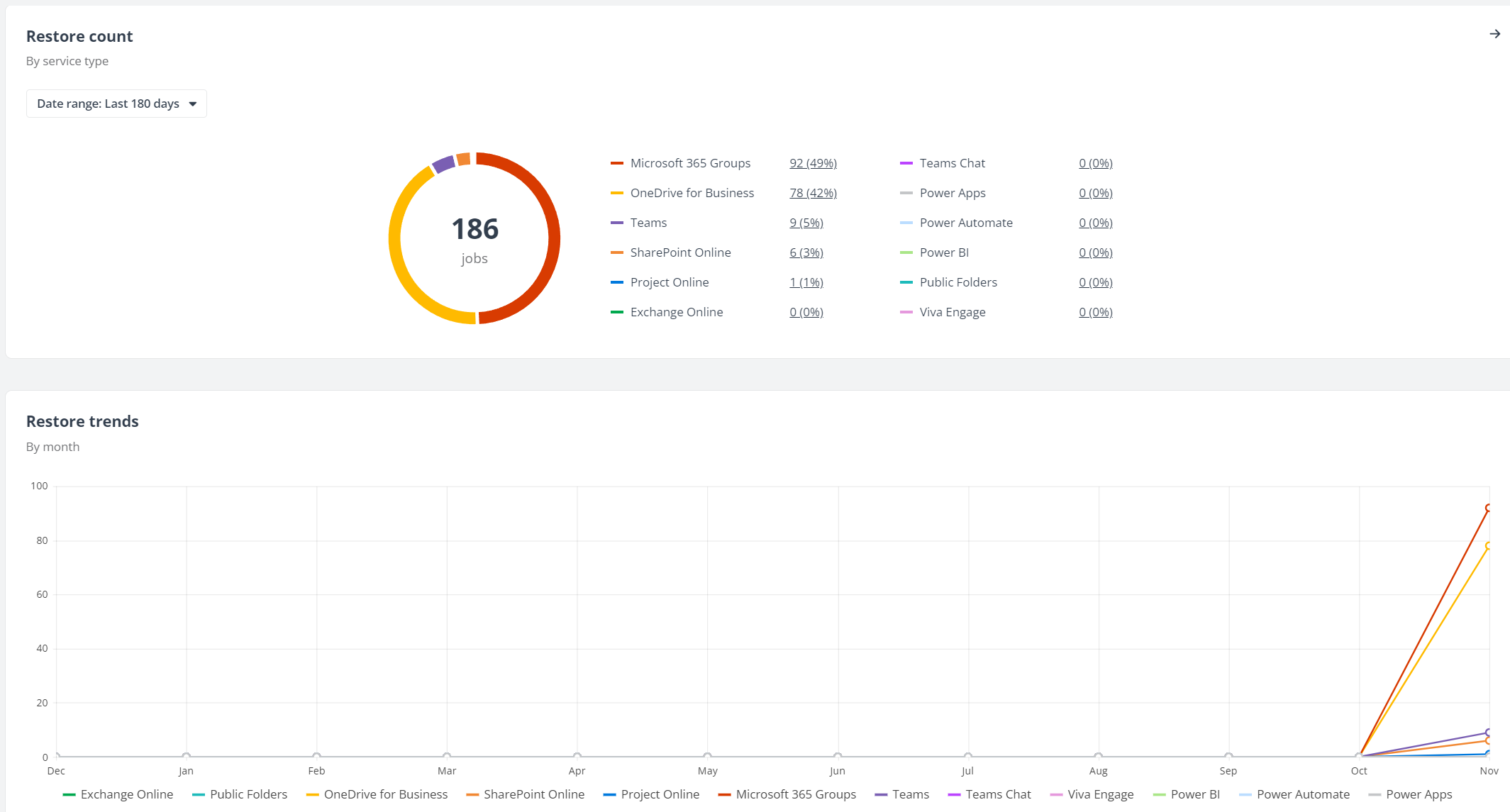
The Restore analytics tab in the Job analytics report displays all restore jobs performed over the last 7, 30, 90 or 180 days in the following charts: Restore count chart and the Restore trends chart.
You can use the Time filter to view the number of restore jobs of each enabled service type for the Last 7 Days, Last 30 Days, Last 90 Days or Last 180 days and view the restore trend of each service by month.