
Home > データ管理 > 保護されていないデータの削除 > 保護範囲外のオブジェクト
この記事をダウンロード保護範囲外のオブジェクト
オブジェクトを保護対象から保護されていない範囲に移動した場合 (これは、コンテンツが保護されていないコンテナーに動的に変更された場合も意味します)、このデータを保護しないことを示します。プライバシー保護のため、Cloud Backup は対応するバックアップ データを 90 日内に削除します。有効期限 列にスケジュールされた削除日が表示され、理由 列にデータが保護されていないにマークされた理由が表示されます。削除から特定のバックアップ データを除外するには、ホーム画面でバックアップ範囲を更新して保護範囲外のオブジェクトを含めることができます。保護範囲外のオブジェクトの削除レコードはバックアップ データが削除された後、削除履歴 タブに表示されます。
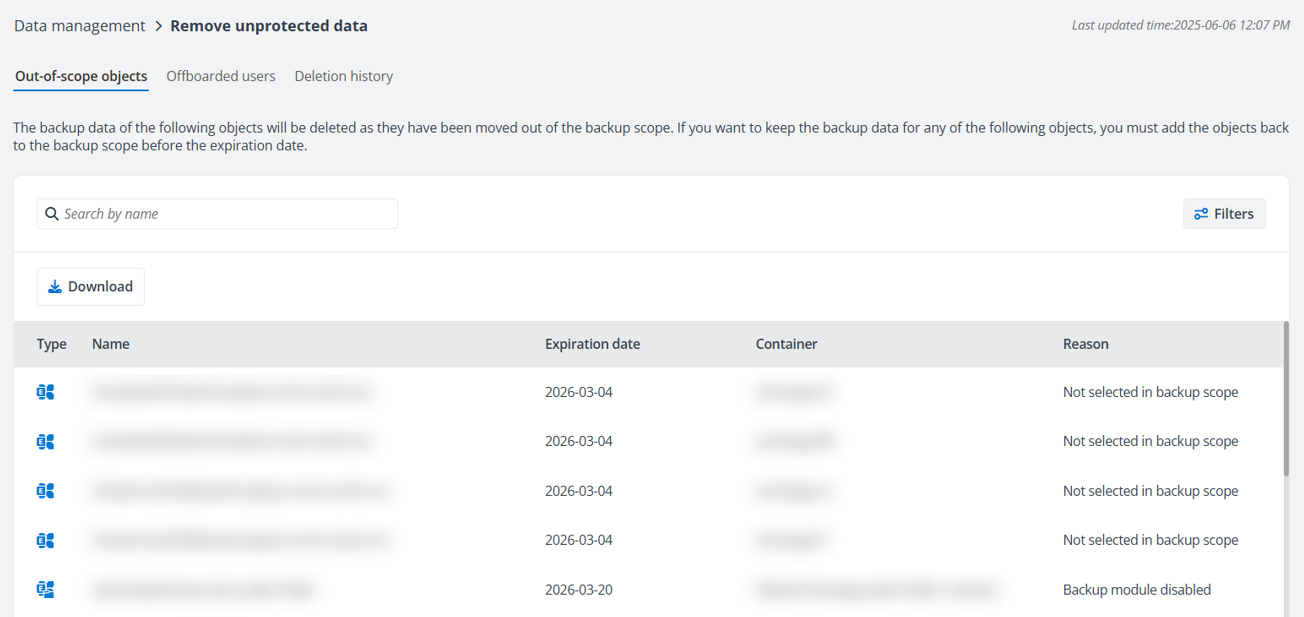
以下のことに注意してください。
-
この機能は BYOS サブスクリプション、試用版サブスクリプション、Multi-Geo が有効になっているサブスクリプションには適用されません。既に取得済みのバックアップ データは削除されず、現在保護されていないオブジェクトのバックアップ データをデータ回復に使用できます。
-
BYOS 顧客であり、保護されていないデータを削除することでストレージ容量を節約する場合は、サポート チームに連絡して、お使いの環境でこの機能を有効にしてください。
-
Cloud Backup によって保護されているが、Microsoft 365 テナントから削除されたオブジェクトのバックアップ データは、この範囲外です。Exchange Online および OneDrive の場合、対応するオブジェクトは オフボード済みユーザー タブに追加されます。詳細情報については、オフボード済みユーザー を参照してください。その他のサービス タイプの場合、Cloud Backup は保持ポリシーに従ってこのようなバックアップ データを保持します。
-
Microsoft 365 テナントからこのオブジェクトを削除し、バックアップ範囲からこのオブジェクトまたはサービス タイプを削除したが、オブジェクト登録を更新するための自動検出スキャン ジョブを実行しなかった場合、このオブジェクトのバックアップ データは 保護範囲外のオブジェクト タブに含まれます。バックアップの削除前に Cloud Backup 削除ジョブはオブジェクトが Microsoft 365 テナントに存在するかどうかを確認するため、バックアップ データは削除されません。結果はメールで通知されます。